Discord Notification Redesign
Overview
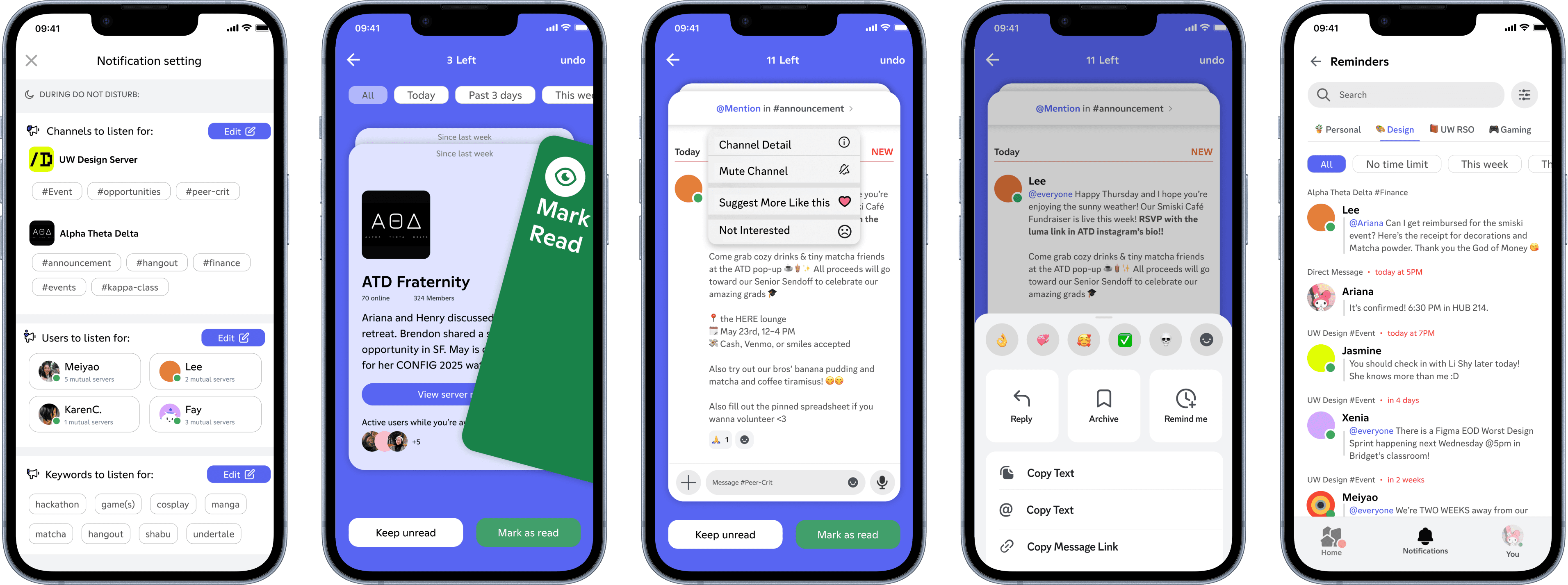
A redesigned Discord’s notification system that empower non-technical community members to catch up effortlessly.
Role
Project Lead
UI/UX Design
Usability Testing
Storyboarding
Team
Yaya Zheng
Ruby Wu
Meiyao Li
Timeline
Mar - Jun 2025
11 weeks
Instructors
Bridget Weis
Li-Yuan Chiou
CONTEXT
The Modern "Do Not Disturb" Dilemma.
"Do Not Disturb" offers peace, but at a cost: the gradual erosion of belonging.
Re-entering a community can be overwhelming–missed inside jokes, lost context, and the quiet anxiety of FOMO–"am I missing out the fun?"
In active Discord communities, members struggle with staying informed–either feeling glued to servers or returning to irrelevant noise after being away.
REDESIGN VISION
Not Just For Gamers!
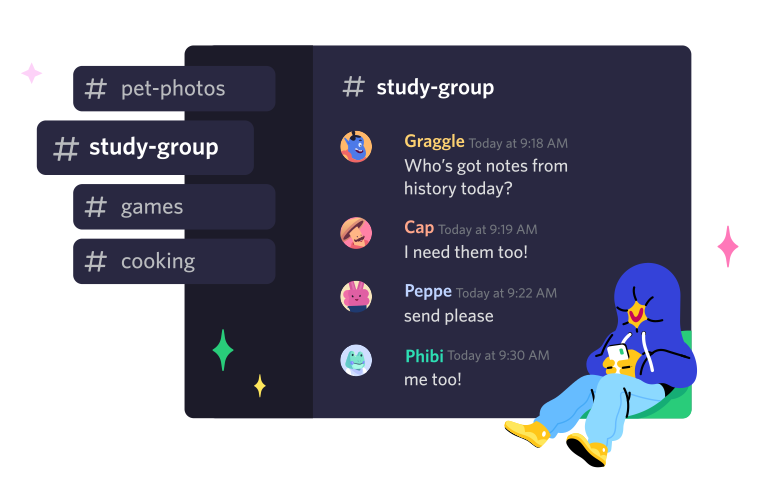
Discord has expanded beyond its gaming root, becoming widely adopted by non-gamer communities (e.g. tutoring, networking, hobbies, content creators fanbases…)
Although Discord invested in a playful, beginner-friendly visual branding, its Mobile UX still feels intimidating & overwhelming for newcomers with low technical fluency.
Steep onboarding curve, folder-based navigations, and unpredictable (sometimes invisible) system behaviors can create frictions & discourage prolonged engagement in communities. Our redesign vision is to optimize the mobile UX to align with Discord's inviting rebrand.
| CUSTOMER INSIGHTS
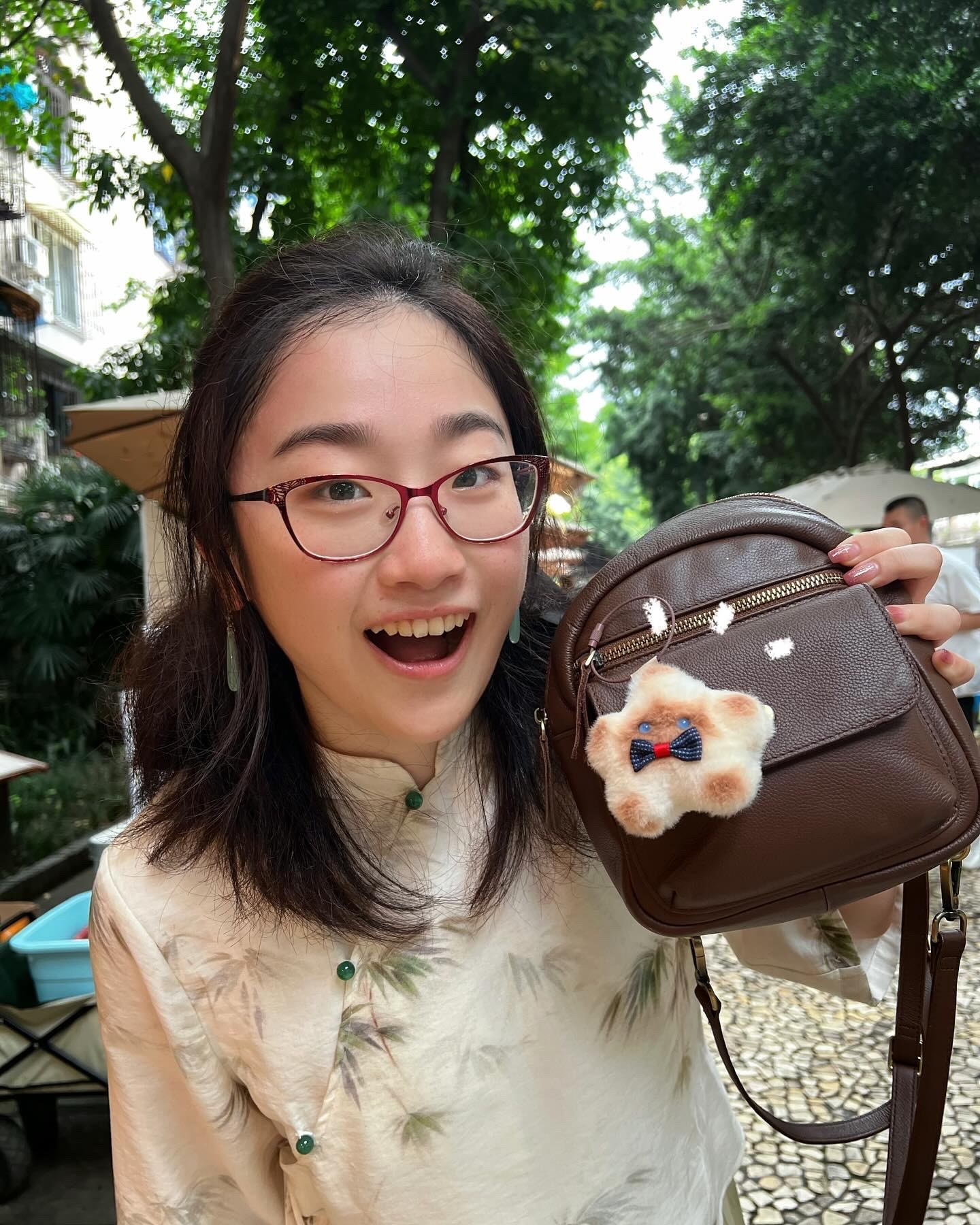
Non-technical Community Members
Use Discord as main information source for upcoming events like fundraising, in-person meetups, community updates.
Mental Model shaped by Instagram & Messenger, not familiar with advanced search, bots, or threads.
Busy, not chronically online 24/7, struggle to keep up with fast-paced conversations & complex server structures.



| OPPORTUNITY
How might we empower non-technical users with more control over their notifications and reduce frictions such that catching-up community updates feels effortless?
SECONDARY RESEARCH
Discord's Notification System Doesn't Scale with Community Complexity.
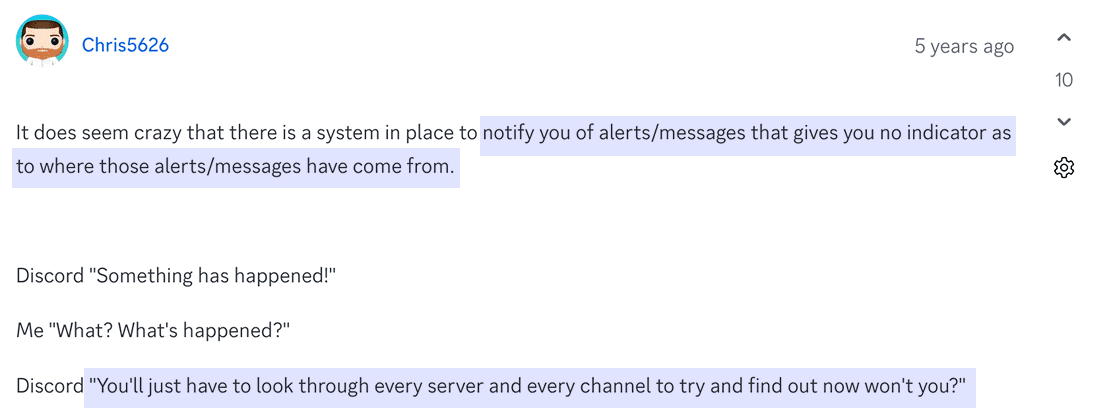
A scan of developer forums & Reddit (home to many of Discord’s most experienced users) reveals consistent and unresolved frustrations with the current system:
Low Signal-to-Noise Ratio
Important updates are buried in spam, scrolling chat history can be frustrating.
Phantom beeps
No visual cues nor accurate history. To trace the notification origins, users are forced to look through every server/channel.
No Middle Ground
To regain control, one has to mute all servers. No white-listing controls available.



COMPETITIVE ANALYSIS
What can we learn from Slack?
Slack's visual hierarchy is optimized for mobile experience.
Slack offers shortcut / alternative navigation with curated updates.
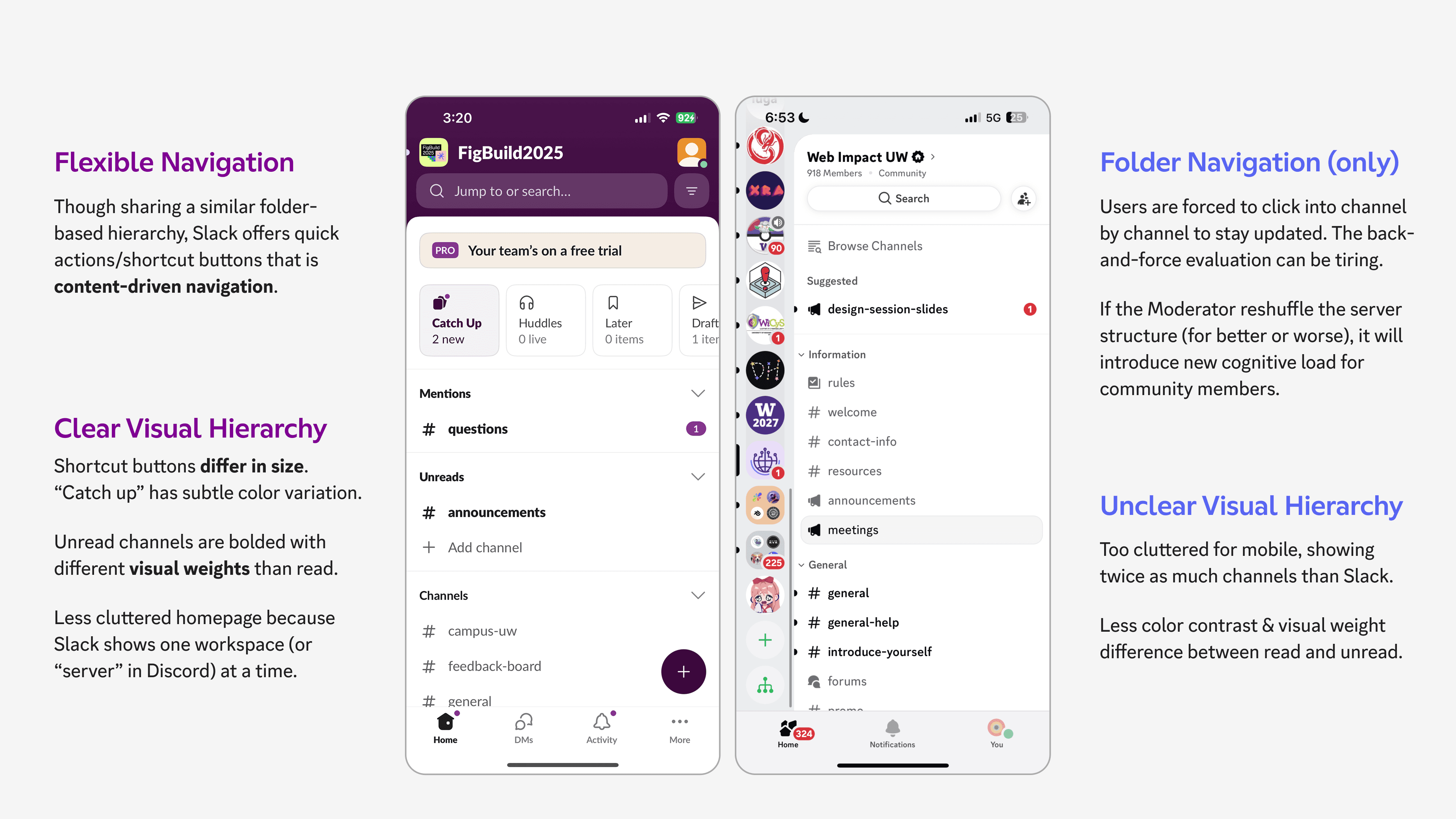
homepage
Slack's filtering tags & concise message sources reduces information overload.
Slack shows two-lines preview, short enough to fit more messages, long enough to provide actionable context.
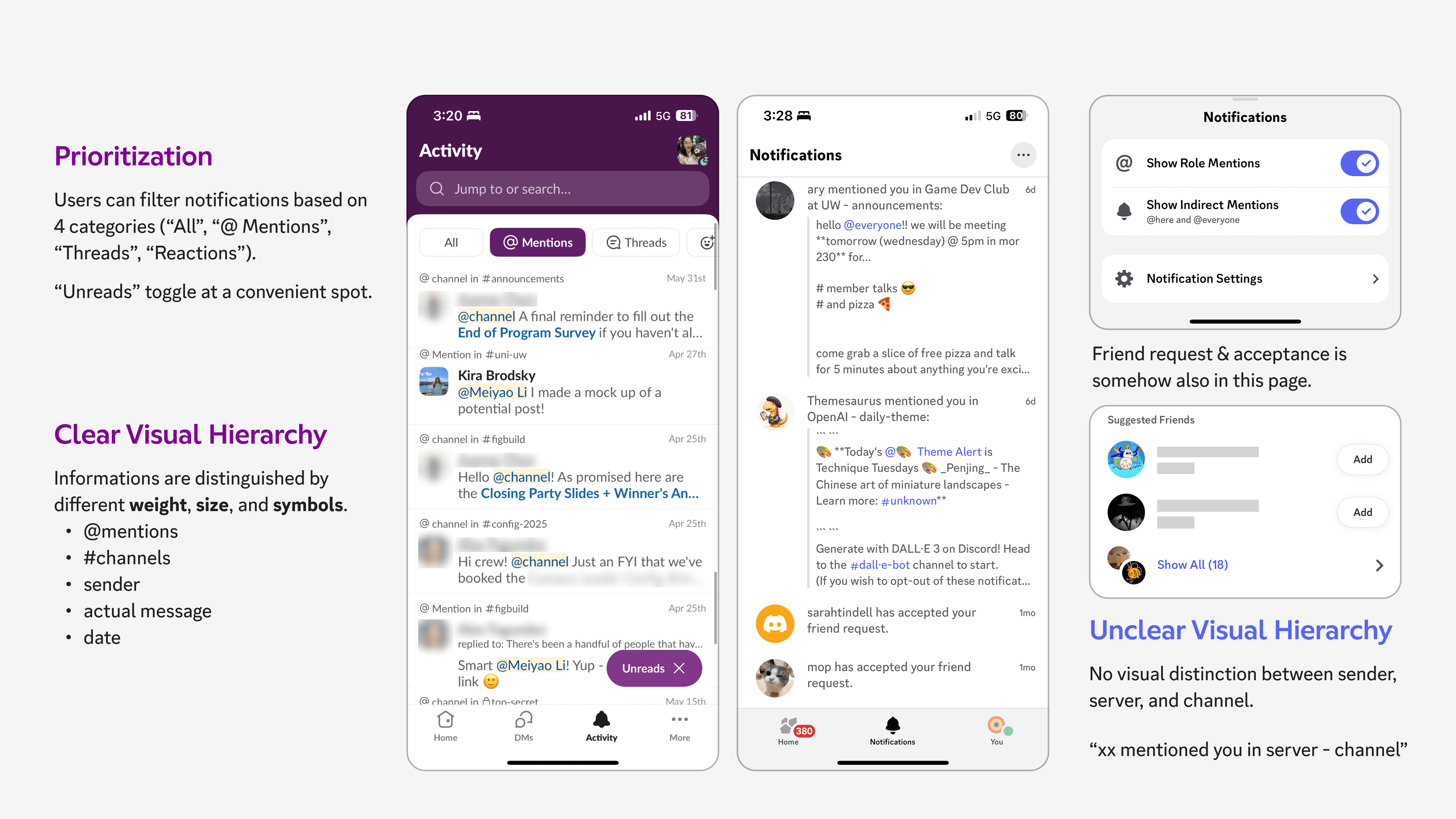
notification inbox
Discord's system is way more complex than Slack: Slack shows one workspace (server) at a time, whereas Discord shows 10+ servers at a time. Yet its notification inbox & filtering tools are less robust compared to Slack.
What if users can filter by server or even subscribed channels? There must be a better approach than just dumping ALL notifications in one page…
| REDESIGN GOAL
Consolidate Research Insights into Deliverables
" height="20px" id="dd1hpghc7" transform="translate(3 2)" width="18.00000457763673px"/></svg>)
Alternative navigation
Bypass hierarchical, folder-based interaction with channel list, shortcut for quick catch-up.
" height="19px" id="KmNdoCdCE" transform="translate(3 2)" width="19.874995422363327px"/></svg>)
Notification inbox
Improve visual hierarchy, support Discord's multi-server scale.
" height="19px" id="dTjzicBub" transform="translate(2 2)" width="20px"/></svg>)
Notification setting
Interest-based white-listing that give users control over what goes into their inbox.
See Iterations
EMPHATHIZE
UX Mapping & Storyboarding
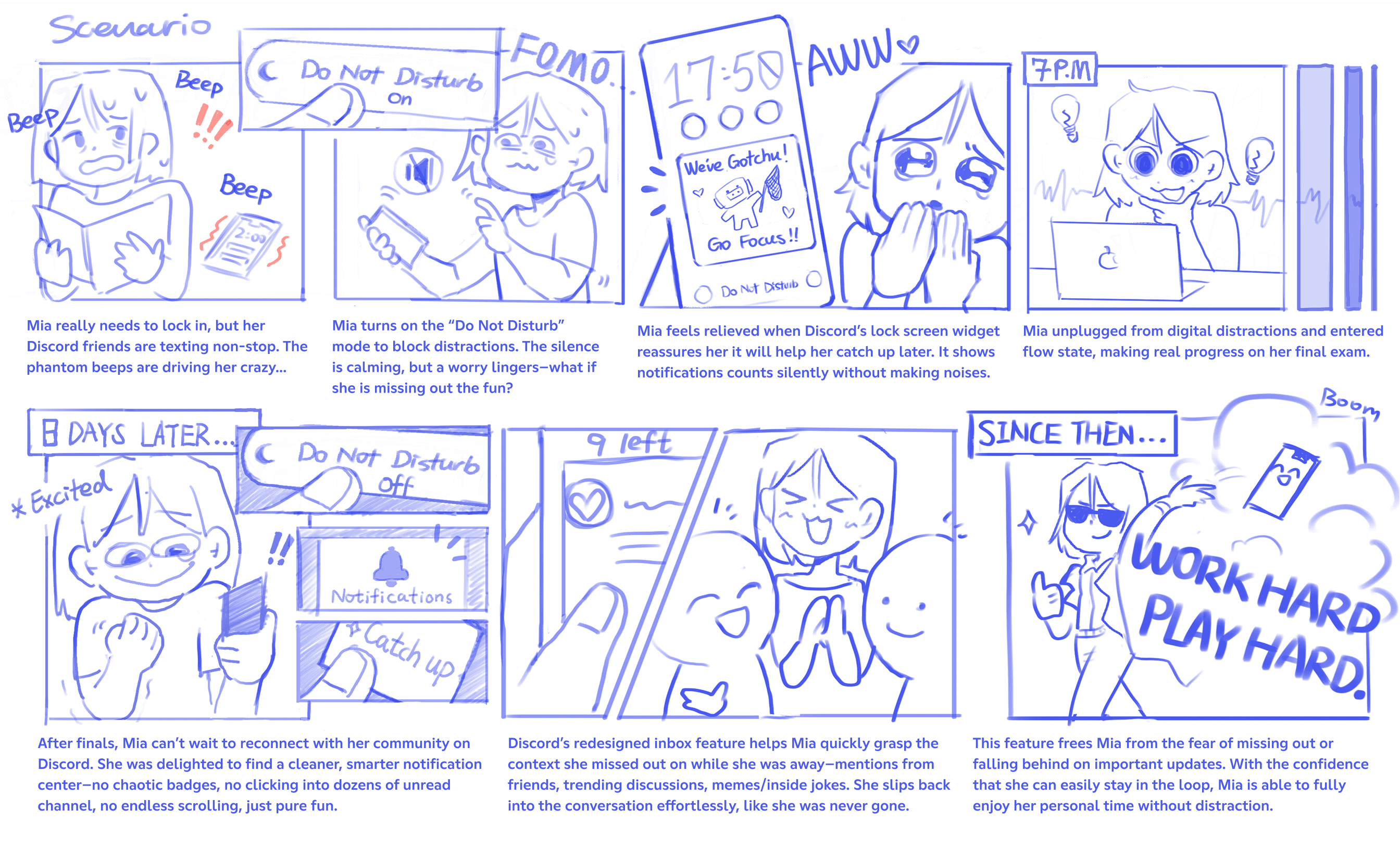
Scenario Storyboards for Short-term Catch-up
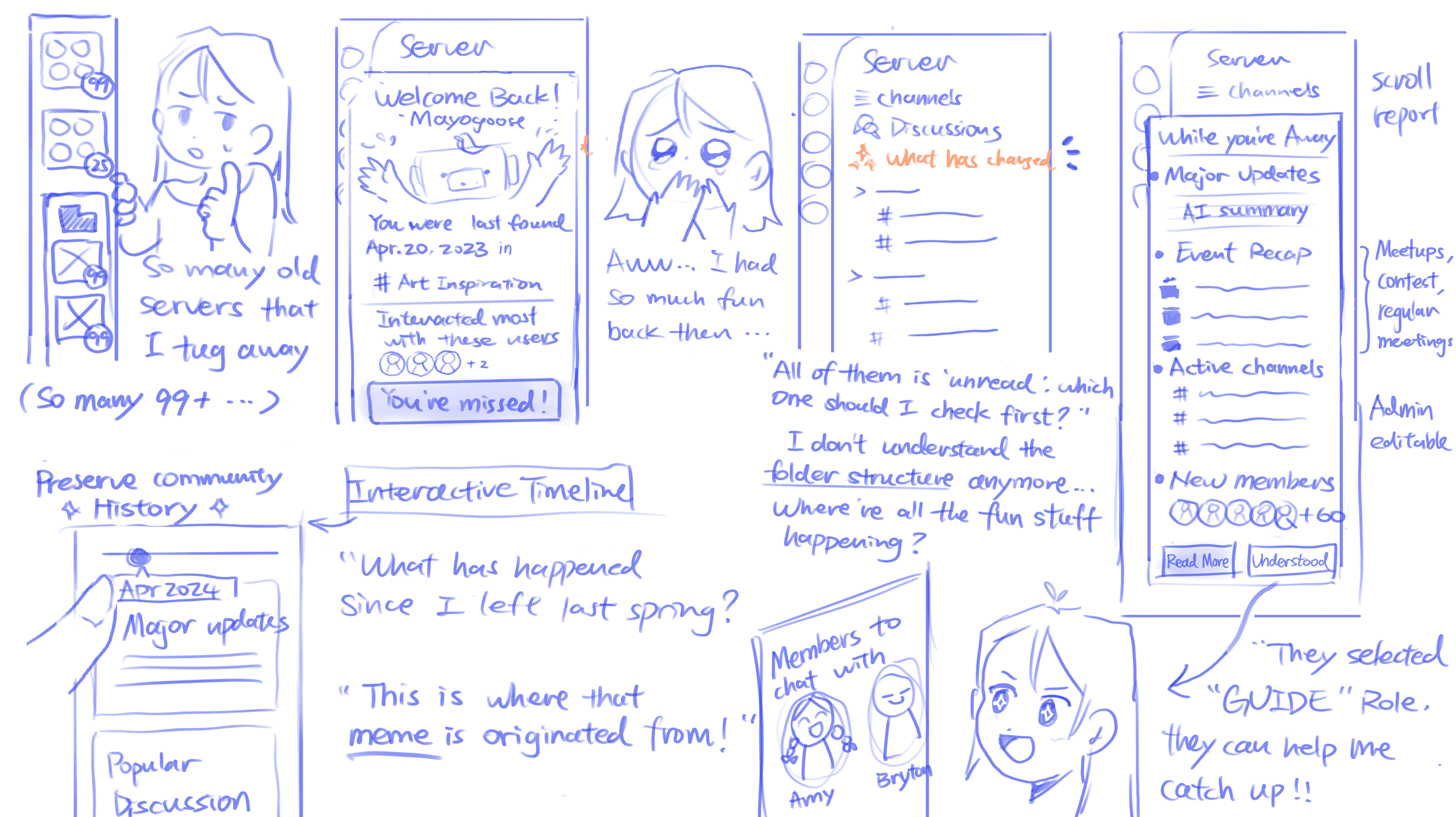
Scenario Storyboards for Long-term Catch-up
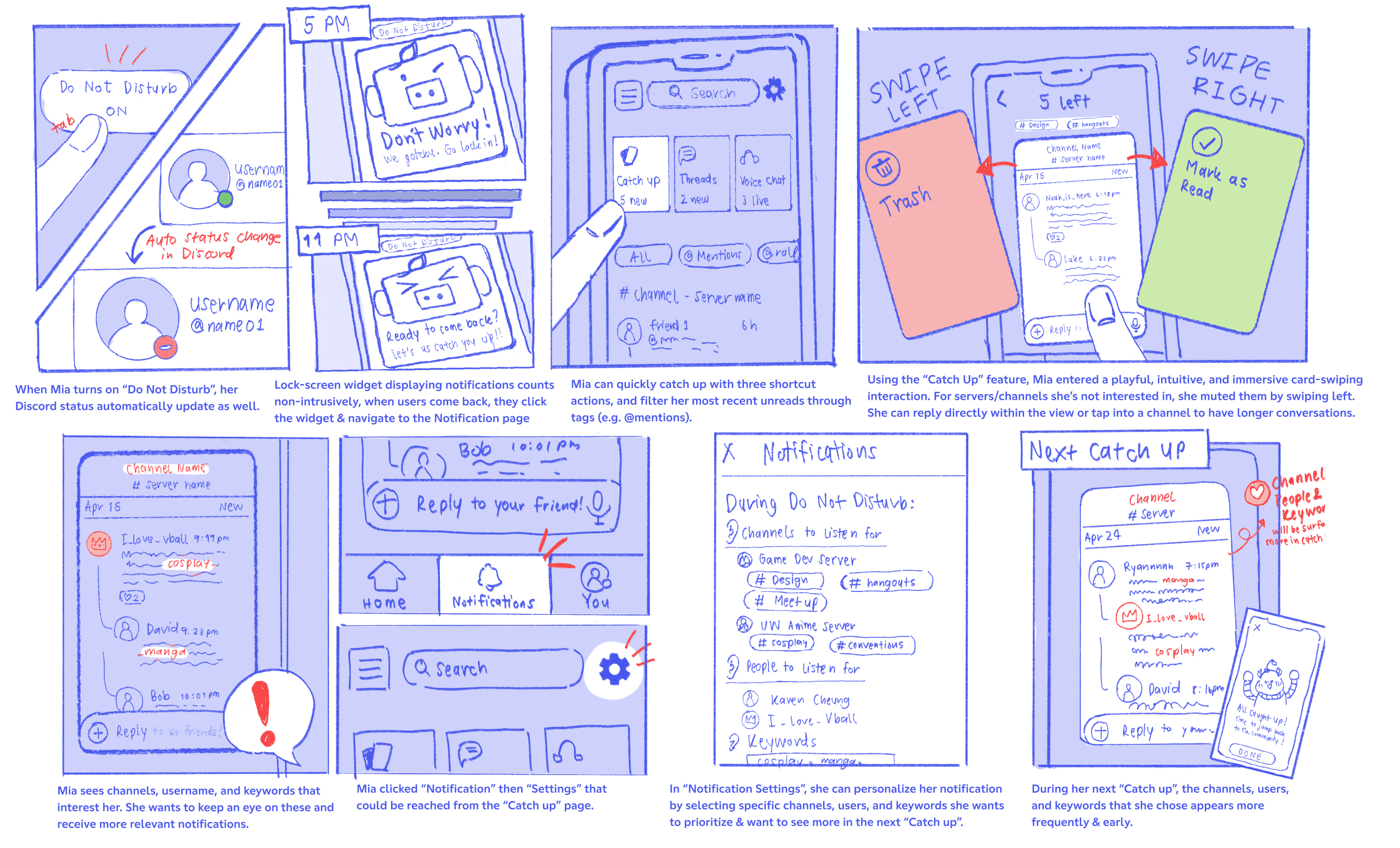
Technical Storyboards for Short-term Catch-up
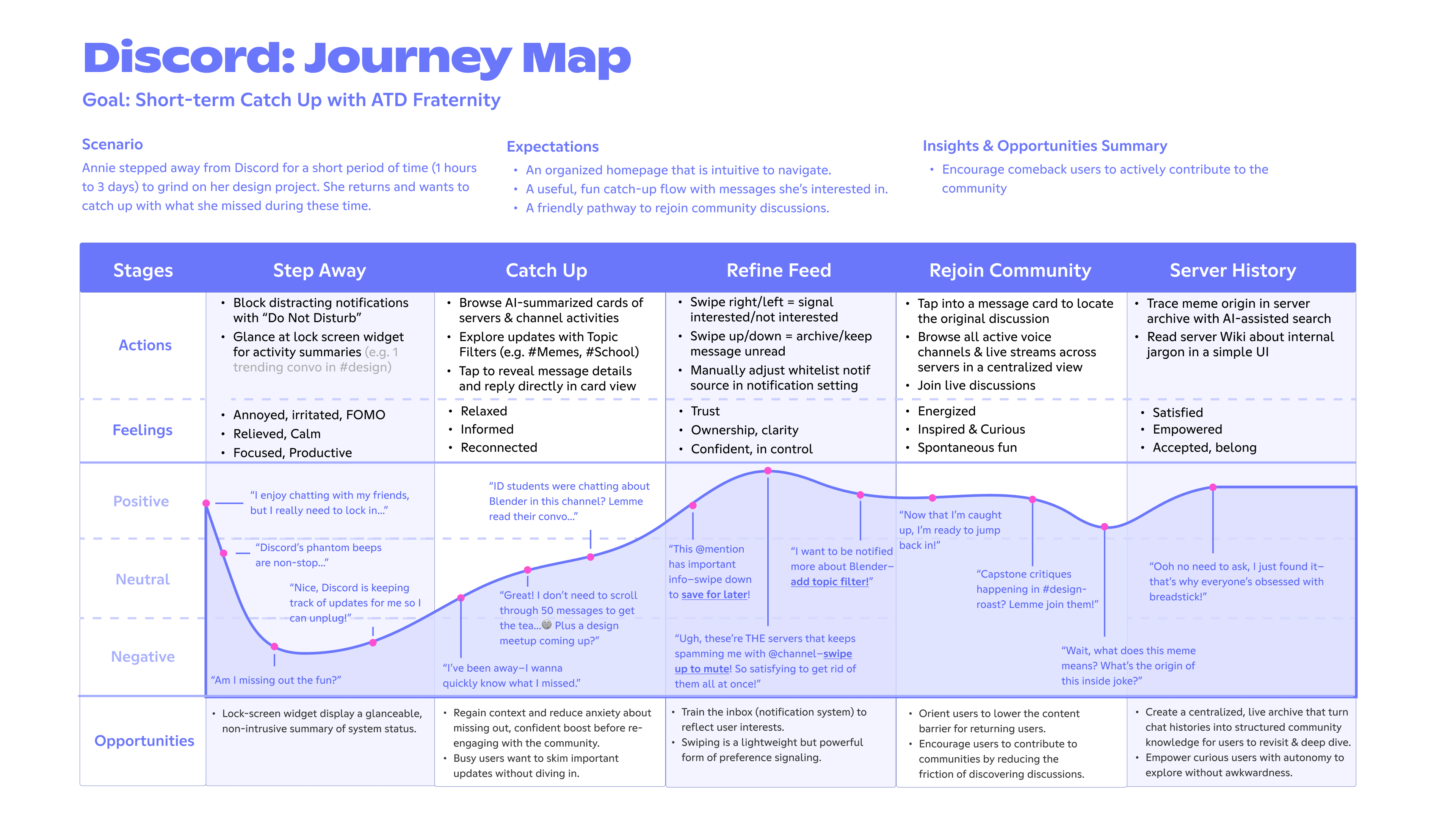
User Journey Map
ALTERNATIVE NAVIGATIONS
How to Communicate Multi-Server Hierarchy?
Although it was tempting to just copy the exact implementation and card logic from Slack, we must respect Discord's multi-server complexity.
I sketched out change in states to visualize edge cases, this helps me get productive critiques before I implement them in Figma.
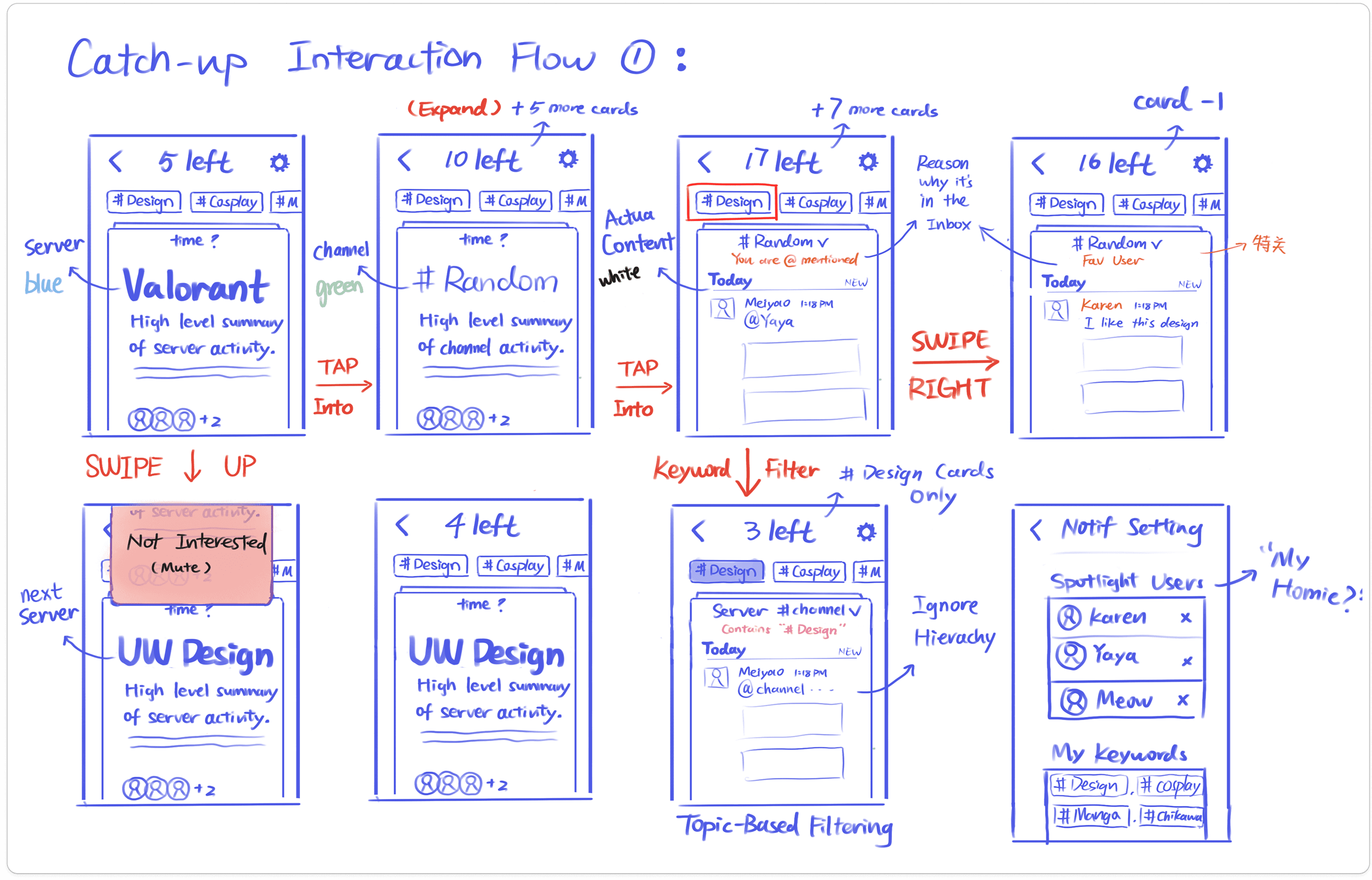
Although I was proud of figuring out the blurs & parchment paper effect, they add more distraction than value—imagine watching this animation for 100+ messages!

As I observe users testing out this prototype, I also realize the intermediate state disrupts the swiping flow. They need to stop and ponder—"what message should I click into?" and this problem is exactly the same as deciding which channel to click into.

NOTIFICATION INBOX
Elevate Existing Mental Models
How might we accommodate users across usage level (3 ~100+ servers)? We think Slack workspaces (one catch-up view for each server) feels too separated, its constant role-switching doesn't match the fluidity of Discord.
Through observations, we found out users are already grouping & color-coding servers. We can borrow this user-defined category as a middle-ground solution.


FINAL DESIGN
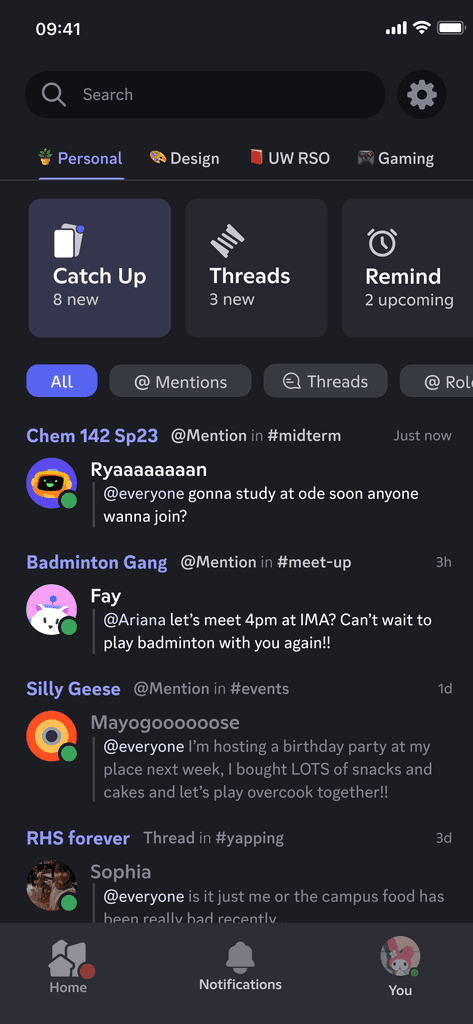
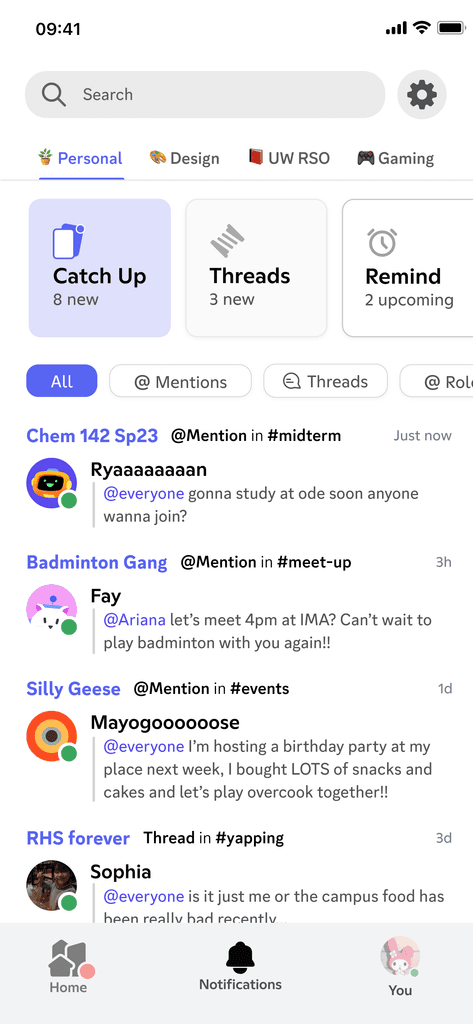
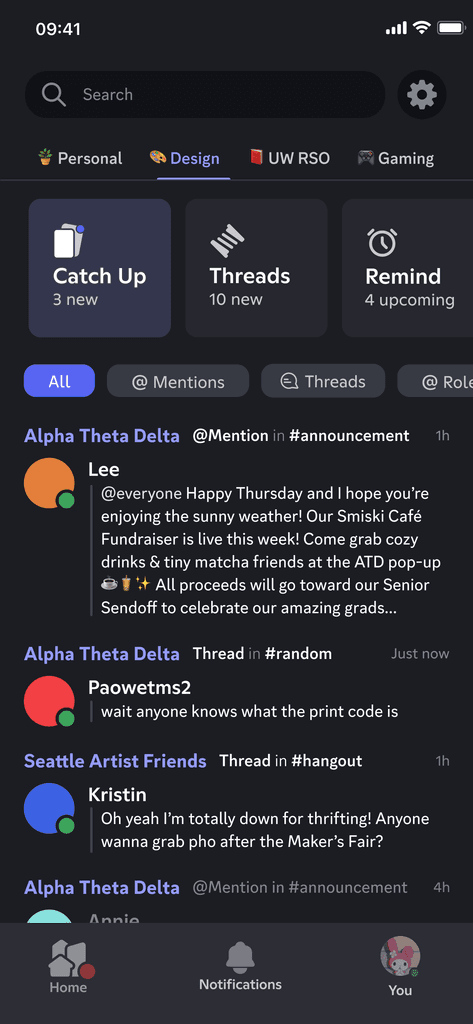
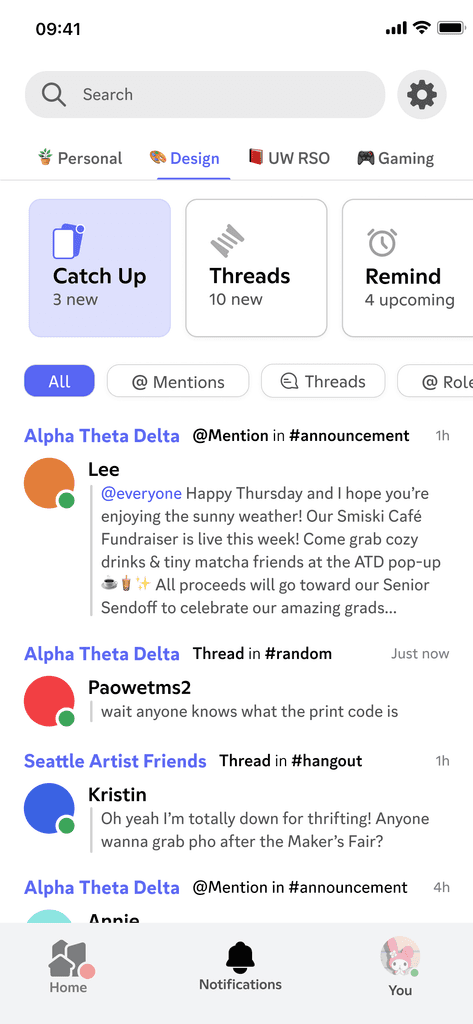
A smart, interest-based notification inbox that gives users control of notifications while making catch-up efficient and fun.

Notification Inbox + user-defined workspace
Success Metrics
1) usage frequency of notification inbox WRT homepage as notification entry point
= improved discoverability & user trust
2) Drop in channel-switching bounce rate & idle time on homepage / channel list, paired with increase in time spent within chat interface
= reduced navigational friction, locate content efficiently, spend more quality time w/ friends.
Quick Catch-up / smart feed


Success Metrics
1) User engagement with suggested cards (e.g. replying, reacting, reading for 10 second)
= relevancy & usability of the card-swiping model / recommendation accuracy
2) Drop in new users muting all servers or disabling in-app notification
= user trust in system
3) Re-engagement with previously inactive servers, measured by message views triggered by whitelist notifications (keywords, users)
= Success in helping users rediscover meaningful content/people/communities in old servers
Personal Space (Save, Archive, Reminder)


